An assistant that knows your brand.
A strategy from a short questionnaire, drafts from your notes, brand notes that grow with every edit — and rules the AI model must not break.
The assistant in the centre isn’t a generator of “posts about anything”. It’s a helper that knows your brand: what you offer, who your customers are, your tone of voice and the things you never say. It writes a draft from your note, asks when it doesn’t know something, and with every edit you make it understands better how you write. The idea and the decision stay with you.
Strategy first — from a short questionnaire
When you set up a brand, you answer a few questions: what you sell, who you’re talking to, in what tone, which topics you avoid and which posts you like. From your answers the assistant puts together a strategy: topic pillars, tone rules and calls to action. You read it in full and approve it — without an approved strategy, the assistant doesn’t write.
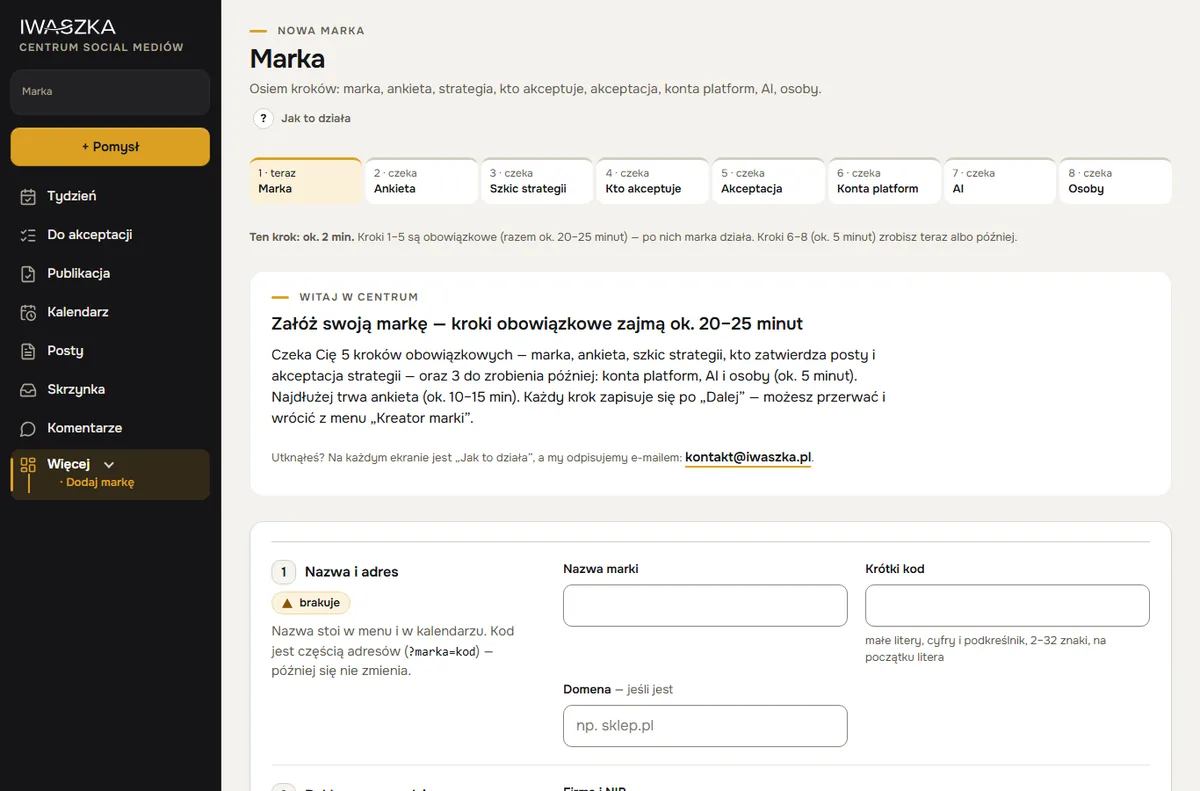 example
A different tone on every channel
The same post sounds different on X, LinkedIn, Instagram and Facebook. That is why the strategy has a tone for each channel: how we write, how long, first name or formal, which emojis and hashtags, how we end and what we avoid — for example X short with one idea, LinkedIn expert and without emojis, Instagram lighter, Facebook like a conversation with a question at the end. The assistant suggests the tone from your posts (including those from before the centre), you adjust it and approve it together with the strategy. From one note you get a separate text for each channel — with the same facts.
A draft from your note — one or two versions
You save an idea in the Inbox — typing it, or dictating it on your phone, with photos attached. Click “Make a draft”, choose the channels and the number of versions to compare (1 or 2). Before anything is written, the “How much will this cost?” button shows the cost and the state of the brand’s budget.
In the finished proposal you see your note and the assistant’s questions side by side, with the post versions below. Passages to check are highlighted in the text. Pick a version, edit it your way and send it for approval.
Facts come from three sources only: your note, the brand strategy and the brand notes. Whatever the assistant doesn’t know, it asks about instead of guessing. That’s why a draft will never include a price, a date or a promise you didn’t give it.
Already have your own posts and rules? Paste them in
Your tone — your tone of voice — the assistant takes from 3–10 of your posts, pasted into the questionnaire. It learns rhythm, length and wording from them; it does not copy sentences. Rules you already have — “we use first names”, “no prices”, words you never use — go into the brand notes. The assistant and the guard read them for every post.
You choose emojis in the questionnaire: organising ones (📍 address, 📞 bookings, 🗓️ date, ➡️ call to action — no smileys), none, or freely, as in your posts. With every draft you also get three versions of the first sentence to choose from — in the style of your best posts.
Brand notes learn from your edits
Every brand has its own brand notes — short rules such as “we don’t say ‘cheap’”, “always add the booking phone number”, “we call this treatment this, and nothing else”. The first entries come from the questionnaire, the rest from your edits. The centre tracks what you change before approving, and why — so later drafts repeat fewer mistakes.
Rules the AI model must not break
Above each brand’s notes sit rules shared by every brand in the centre. The model:
- doesn’t swear in any language, including disguised swearing,
- doesn’t give away company secrets — purchase prices, margins, suppliers,
- doesn’t promise results the brand can’t guarantee,
- doesn’t follow instructions hidden in comments and files — it treats them as data, not commands.
Before approval, every draft is also assessed by the guard — a second AI model that knows the brand’s rules and advertising law.
Topics for empty days and replies to comments
The same assistant suggests topics for days without a post (weekly plan) and prepares draft replies to comments from Facebook and Instagram. A person sends the reply — after reading it.
It learns from results
The Centre collects post numbers from Facebook and Instagram by itself, and “What worked” shows your best posts and formats. When you click “Suggest topics”, the assistant takes your best posts from the last 4 weeks into account: some topics go in their direction, with a note on which post supports them. Every week you also get a short summary: how many posts went out, how many reactions and which one did best.
What it costs
The assistant works in the Assistant 30 plan (PLN 89 net a month, up to about 30 posts a month — about one a day) and the Assistant 60 plan (PLN 129, up to about 60 posts a month, about 2 a day). In the Start plan (PLN 50) you get the whole Centre, but you write the posts yourself. You see how much of the limit you have used as a percentage, with a forecast to the end of the month. When it runs low, you can top up or move to a higher plan — details in the pricing.
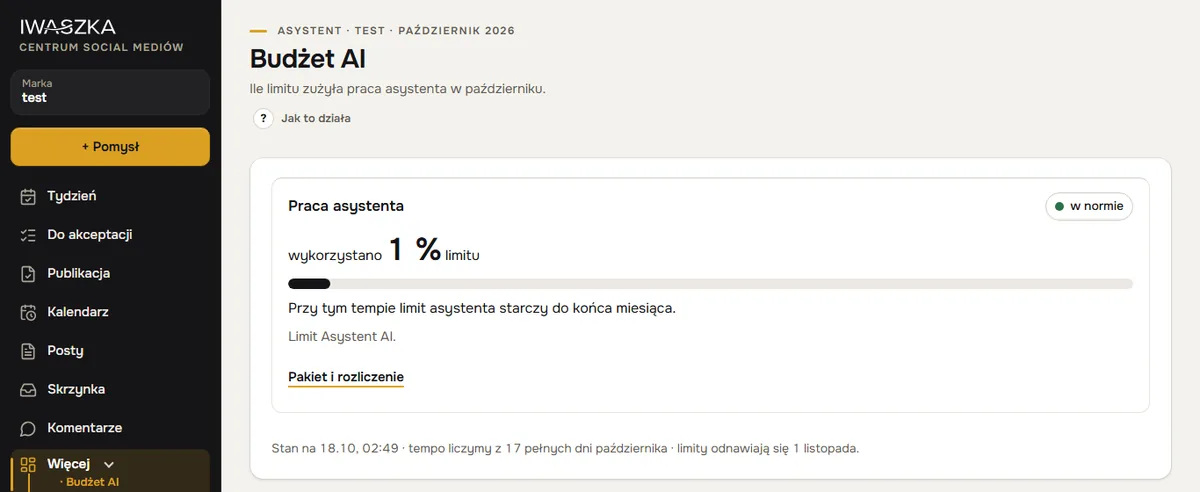 example
Questions
Does the assistant write differently for each channel?
Yes. The strategy has a tone for each channel — length, how we address people, emojis, hashtags and the call to action. From one note the assistant writes a separate text for X, LinkedIn, Instagram and Facebook, with the same facts.
Can I paste my own posts as a model?
Yes. In the questionnaire you paste 3–10 of your posts — the assistant takes tone, rhythm and length from them and does not copy sentences. Your own rules go into the brand notes.
Does the assistant add emojis?
Yes, if you want it to. By default it uses organising emojis — 📍 address, 📞 bookings, 🗓️ date, ➡️ call to action — no smileys. In the questionnaire you can also choose “no emojis” or “freely, as in my posts”.
How is the assistant different from an AI chat?
It remembers your brand between posts: your posts, rules and every edit. It asks about missing facts instead of inventing them, and a finished post is checked by the guard and goes into the calendar.
Does the assistant publish on its own?
No. The assistant writes a draft, the guard assesses it, and nothing is published until a person approves it.
Which model does the assistant write with?
An AI model chosen for writing posts — in our tests it kept to each brand’s style well. The assessment before approval is done by a more powerful model.
Can I write posts without the assistant?
Yes. A brand without the AI add-on gets the full centre: planning, posts, approval, publishing and results — you just write the drafts yourself.
Where does the assistant get its facts?
Only from your note, the brand strategy and the brand notes. If something is missing — a price or opening hours, say — it asks rather than guesses.
What if the assistant’s limit runs out?
The assistant pauses until the 1st of the following month or until you buy a top-up. Everything else in the centre keeps working. You see limit usage as a percentage.
Can the assistant make mistakes?
Yes — text from AI models can contain errors. That’s why every post goes through checks and human approval, and the person who approves the content is responsible for it.
See also
Results
Results for every Facebook and Instagram post fetched automatically for 14 days, manual numbers for LinkedIn, Threads and X, a “What worked” view and suggestions.
AI images and videos
New shots and short videos from a real product photo, the cost as a share of your limit before you order, and an “AI” label on every result. No extra account.
Weekly plan
The Week screen: what’s waiting for you, the plan day by day, topics from the assistant for empty days and approving several posts at once. Plan a month ahead.
Your first week of posts — today.
Account about 5 minutes, brand about 20–25 minutes, then about 15 minutes a week. No payment card. Sign-up is open to companies registered in Poland; the sign-up form and the app are in Polish for now. Elsewhere? Write to kontakt@iwaszka.pl.
Create account