From sign-up to your first week in a single morning.
Four stages, each with the time it really takes. You can stop at any moment — the Centre remembers where you left off.
Four stages
- about 5 minutes
Account
This form, e-mail confirmation, password and an authenticator app.
- about 20–25 minutes
Brand
5 wizard steps — the longest is the survey about your business.
- about 2 minutes
Introduction
A short tour of the Centre — you can skip it.
- about 15 minutes
First week of posts
Topics from the assistant, drafts and approval.
Every step in the Social Media Centre shows roughly how long it will take — so you can start when you actually have the time. You can stop at any point: your progress is saved and the Centre brings you back to the same place.
1. Account — about 5 minutes
On the Create an account page you enter your company name, Polish tax ID (NIP), first and last name, email address and login. If you have a discount code, you enter it in the same form. A link valid for 24 hours arrives by email. Once you confirm, you set a password and add the account to an authenticator app on your phone — just like online banking. Finally, you save your backup codes.
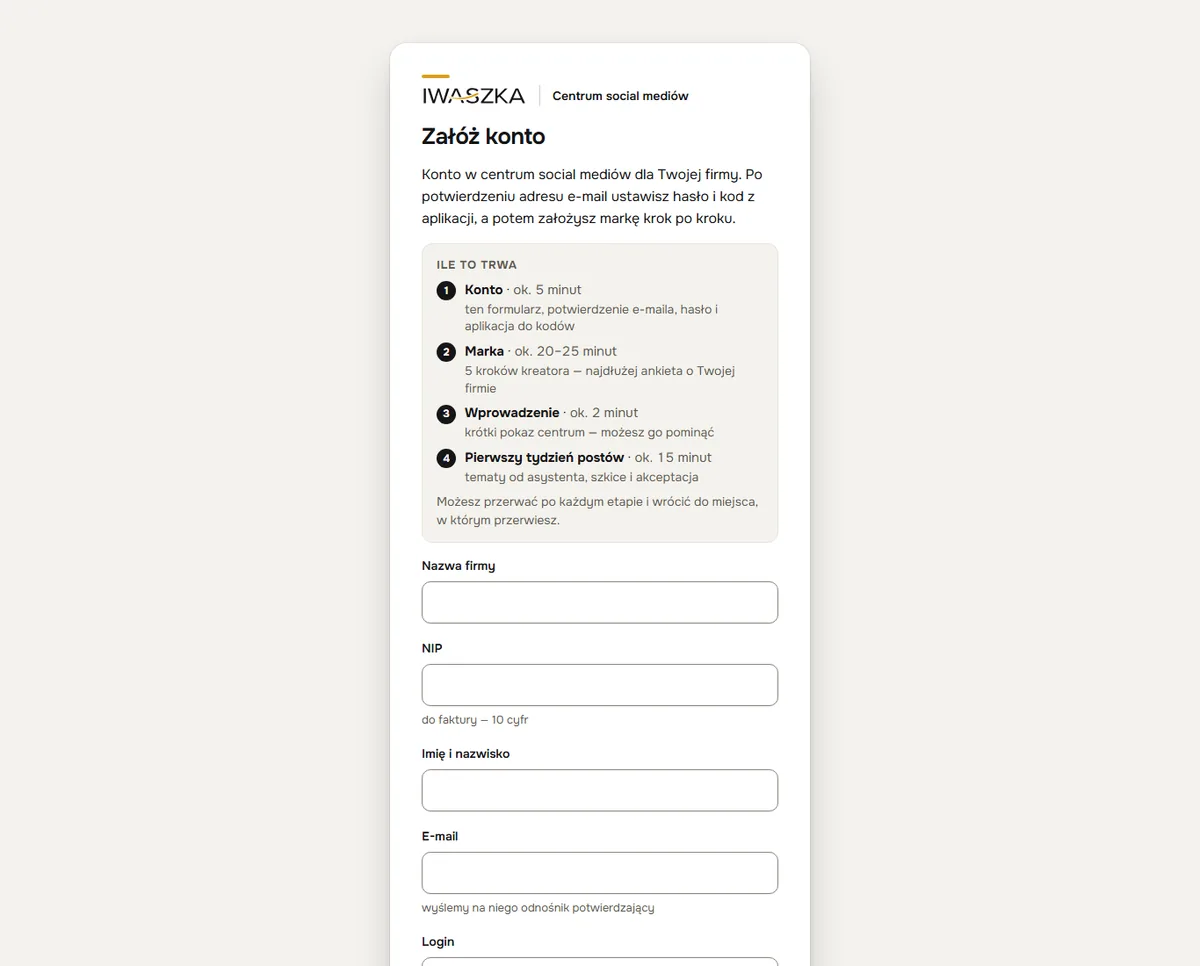 example
What to have ready: your company’s Polish tax ID (NIP), an email address you can access right now, and a phone with an authenticator app (Google Authenticator, Microsoft Authenticator or a password manager).
2. Brand — about 20–25 minutes
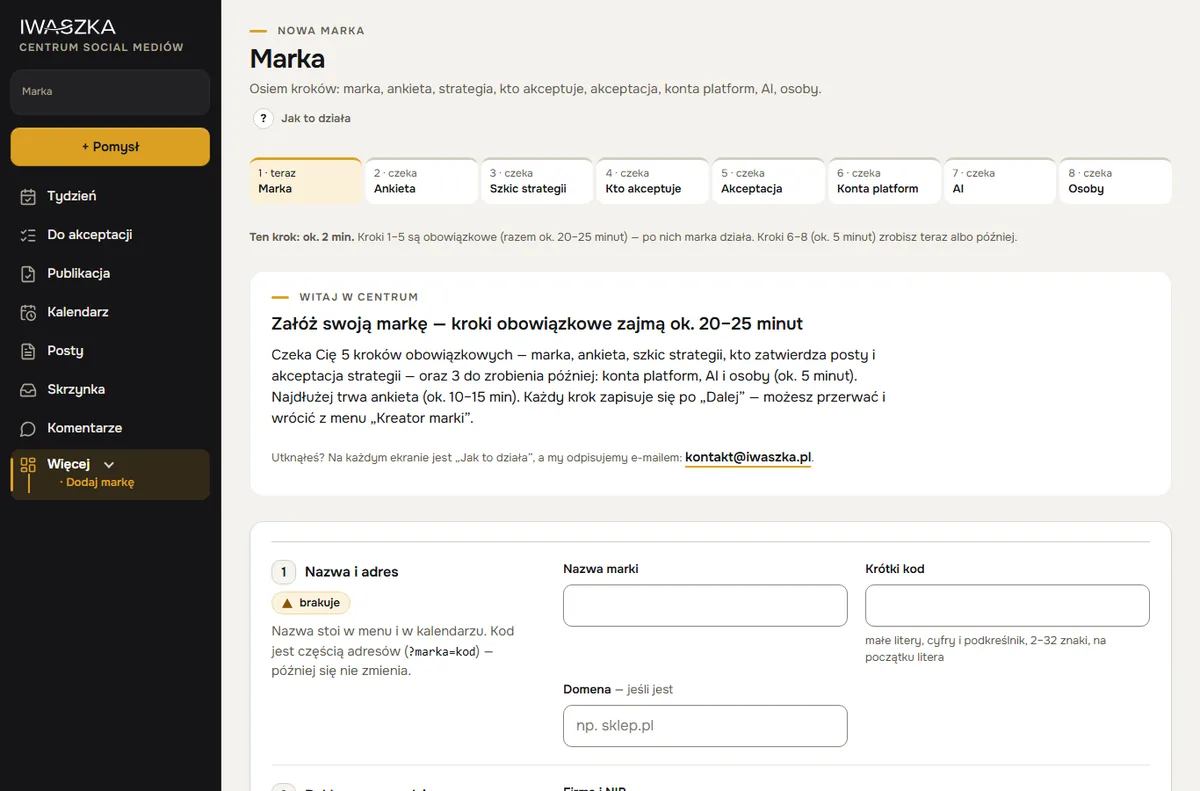
After your first login, the brand wizard opens. It has eight steps; steps 1–5 are required (together about 20–25 minutes), and steps 6–8 you can do straight away or later (about 5 minutes):
- Brand about 2 min — name, short code, the company that runs the advertising, and industry.
- Questionnaire about 10–15 min — your offer, customers, tone, what to avoid, channels, sample posts — the strategy is built from this.
- Strategy draft about 5 min — the assistant sets out topic pillars and tone rules; you add your comments.
- Who approves about 1 min — you or a person with access to the brand.
- Strategy approval about 3 min — you read it through and approve — from then on the assistant writes.
- Platform accounts about 1 min — you connect Facebook, Instagram and X yourself or together with us — you can skip this and come back.
- Plan and AI about 2 min — Start, Assistant 30 or Assistant 60, plus AI graphics and videos if you want them.
- People about 2 min — you invite the people who will work on the brand.
The questionnaire takes the longest — it is how the assistant learns the way your brand writes. The more specific your answers (for example, pasting in 2–3 posts you like), the fewer corrections you will need later.
 example
3. Introduction — about 2 minutes
A short tour of the Centre: where to find Week, the Idea inbox, approval and publishing. You can skip it and return to it later from Help. Every screen also has a “How it works” link with step-by-step instructions.
4. Your first week of posts — about 15 minutes
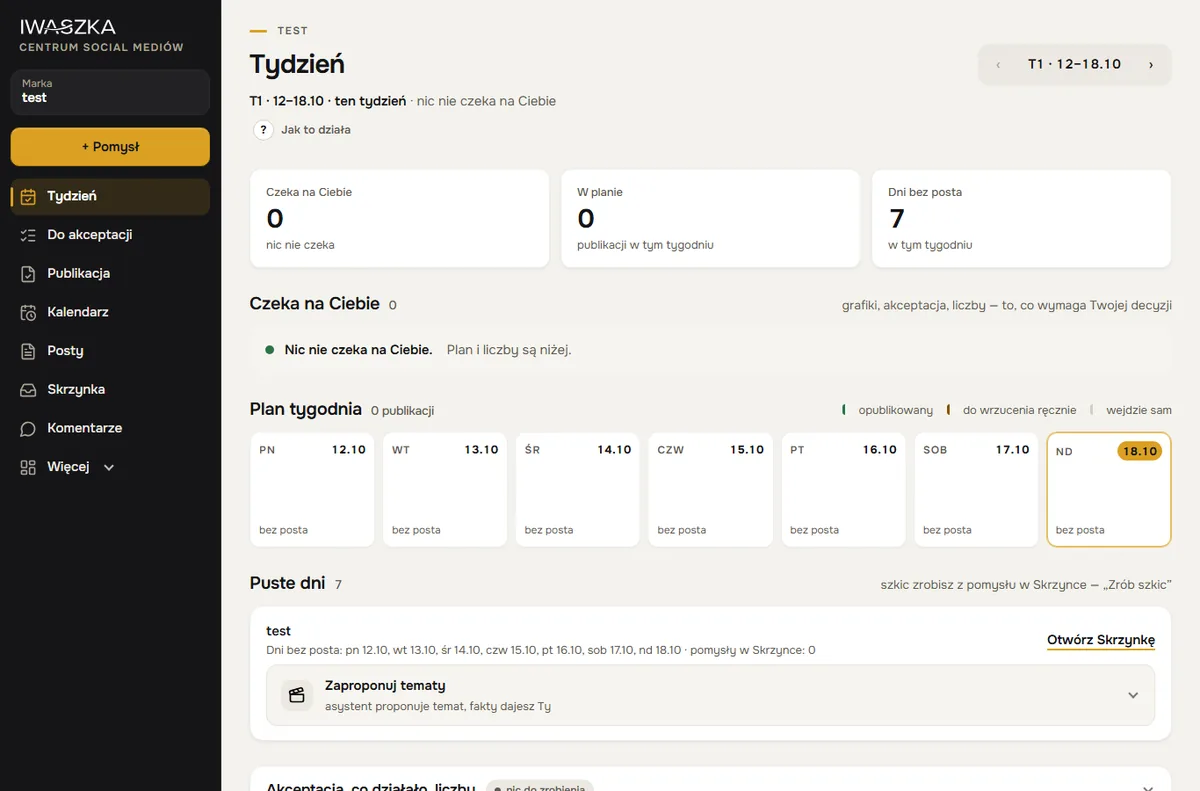
You open Week. The assistant suggests topics for the empty days; you add the facts, choose drafts and approve them. Posts to Facebook, Instagram and X go out on their own at the scheduled times — once the accounts are connected.
 example
Payment
You do not enter a payment card. You pay by bank transfer against a VAT invoice. For 14 days after setting up the brand you can cancel — the brand fee is refunded in full, and the AI fee minus the limit you have used. Prices and add-ons: pricing.
Questions
Do I have to do everything in one go?
No. Each wizard step is saved separately — you can stop and come back from the “Brand wizard” menu.
What if the email with the link does not arrive?
Check your spam folder. The link is valid for 24 hours — after that, sign up again or write to us.
When do I connect Facebook, Instagram and X?
After setting up the brand, in Accounts and keys — “Connect with Facebook” and “Connect with X”, about 3 minutes each. You can also write to us and we will connect the accounts together. Until then you can already plan and approve posts.
Do I need an authenticator app?
Yes. Your account is protected by a password and a code from an app on your phone — for example Google Authenticator, Microsoft Authenticator or a password manager that shows codes. When you create the account you also get backup codes.
Why do I give my Polish tax ID (NIP)?
The Centre is a service for businesses, and the NIP is needed for the invoice. We take your company name and address from the Polish register of VAT taxpayers — if your NIP is not there, you enter the name yourself and we check it before the first invoice. Sign-up is open to companies registered in Poland; if your company is based in another country, write to us at kontakt@iwaszka.pl. The app itself is in Polish for now — an English version is on the way.
How many brands can I set up?
As many as you need — there is no limit. You add each further brand yourself with “Add brand” in the menu, using the same wizard. Every brand has its own plan and its own fee, and you keep one login.
When do I start paying?
From the month in which the brand is set up in the wizard — for that month, in proportion to the days remaining. An account without a brand costs nothing.
See also
Weekly plan
The Week screen: what’s waiting for you, the plan day by day, topics from the assistant for empty days and approving several posts at once. Plan a month ahead.
Pricing
Post planner from PLN 50 net per brand, with the AI assistant from PLN 89, AI graphics and videos +PLN 49 a month. No card, VAT invoice, 14 days to cancel.
Your first week of posts — today.
Account about 5 minutes, brand about 20–25 minutes, then about 15 minutes a week. No payment card. Sign-up is open to companies registered in Poland; the sign-up form and the app are in Polish for now. Elsewhere? Write to kontakt@iwaszka.pl.
Create account